Use These Blog Post Templates to Write Better SEO Content

Swipe our blog post templates to write better SEO content for your website and to rank higher in Google.

***************************************
Additional Content Writing Resources

Content Writing for SEO: How to Create Content that Ranks in Google ► https://www.youtube.com/watch?v=8BdZ0dUu7VQ

How to Create Content that’s “Better” than Your Competitor’s ► https://www.youtube.com/watch?v=n5KKbPS6N-g

How to Scale Content Creation ► https://www.youtube.com/watch?v=cQmH8LH9p20

Blogging Tips for Beginners That Actually Work ► https://www.youtube.com/watch?v=Ml4mQJjgX6g

How to Write a Blog Post That Actually Gets Traffic ► https://www.youtube.com/watch?v=-kOT39l0omU

Fractured Search Intent: Understanding Mixed SERPs ► https://www.youtube.com/watch?v=KGm17ERgqTw

SEO Course for Beginners (by Ahrefs) ► https://www.youtube.com/playlist?list=PLvJ_dXFSpd2vk6rQ4Rta5MhDIRmakFbp6

***************************************

The four blog post templates we’ll cover in this video are:

– list posts (listicles)
– step-by-step guides
– definition posts
– beginner’s guides

Listicles usually consist of non-chronological lists such as tips, product recommendations, tools, techniques, myths, mistakes, etc. You’ll learn how to write a compelling title and intro for list posts and different ways to craft your subheadings.

Watch the video to learn how to create list posts.

The next blog post type is the step-by-step guide. These are usually your typical “how-to” posts where you run through a series of steps to teach how to accomplish anything. Here we’ll cover how to write an intro using the PSP method.

Want to learn about this method and the template for the “how-to” guide? Watch the video.

The third template is for the expanded definition posts. This type of posts is meant to give a high-level overview of a topic. The best thing about expanded definition posts is that they have a clear format you can follow:

– intro
– main content
– and conclusion

Watch the video to learn more about this template.

And finally, the beginner’s guide post. It’s an educational resource that offers a comprehensive guide to a topic. In short, a beginner’s guide is detailed, teaches people things in a logical sequence, and it’s written for beginners.

Want to learn more about the template for this type of posts? Watch this video.

Whether you’re new to blogging or a seasoned blogger, you’ll find helpful templates in this video that you can use in your content marketing efforts.

Timestamps

0:00 Intro
0:16 List posts (listicles)
4:00 How-to guides
6:13 Expanded definition posts
9:01 Beginner’s guide posts

#blogposttemplates #blogpostwriting #seocontent

Be sure to subscribe for more actionable marketing and SEO tutorials.
https://www.youtube.com/AhrefsCom?sub_confirmation=1

STAY TUNED:
Ahrefs ► https://ahrefs.com/
YouTube ► https://www.youtube.com/AhrefsCom?sub_confirmation=1
Facebook ► https://www.facebook.com/Ahrefs
Twitter ►https://twitter.com/ahrefs

HEMOS ENFADADO A LA BESTIA – ACTUALIDAD SEO #185

🔎 Google está lanzando nuevas actualizaciones y debes saberlo todo sobre ellas. En este vídeo te cuento cuáles te afectarán, y más noticias SEO para aumentar ingresos y espiar a la competencia.

💙 Formación Webpositer Academy: https://www.webpositeracademy.com/master-seo/

💙 Eventos de Webpositer Academy:
https://www.webpositeracademy.com/master-seo/open-seo-day/
https://www.webpositeracademy.com/l/doyouseo/

📚 RECURSOS

Anuncios de Adsense fijos al scroll (Sticky ads o banners flotantes)


⏰ ÍNDICE DE TEMAS

00:00 Presentación de temas
02:01 Helpful Content Update
05:39 Core Update
07:00 Anuncios fijos en AdSense
08:49 Nuevos Rich Snippets de lectura rápida
09:44 Espiar la retención de la audiencia
10:42 Nuevo TikTok Now
12:08 Recurso del mes
12:56 Despedida

💡 PUEDES SEGUIRME EN…

📝 BLOG: https://campamentoweb.com
🔵 TWITTER: https://twitter.com/CampamentoWeb
🟢 SPOTIFY: https://open.spotify.com/show/3tZyvQDg1Vaa43MX3CQDw1
🟣 APPLE PODCAST: https://itunes.apple.com/us/podcast/id1232368853
🟠 IVOOX: http://www.ivoox.com/podcast-campamento-web_sq_f1383810_1.html

An SEO Tip That Just Works (Especially If You Are a Beginner)

An SEO tip that just works, especially if you’re a beginner. People say SEO’s hard and complicated, but it doesn’t have to be. Even if you are a beginner, you can get tons of traffic to your website through simple strategies. And today I want to start you off with one.

RESOURCES & LINKS:
____________________________________________
Quora: https://quora.com/
AnswerThePublic: https://answerthepublic.com/
Ubersuggest: https://neilpatel.com/ubersuggest/
____________________________________________

First off, have you ever heard of the site Quora? It’s a simple question-and-answer site and it’s super popular. So popular, it’s one of the top hundred websites in the world, according to Similarweb. So how do you get that traffic that Quora gets? Well, it’s simple. They just answer questions that people are curious on. These questions are long tail keywords. In other words, they contain many keywords. Best of all, they aren’t competitive. It’s easy to rank for questions because no one is targeting them.

So how do you find these question based keywords in your industry? Well, have you heard of a tool called AnswerThePublic? It’s a tool that shows you all the popular questions that people are asking. Head over to AnswerThePublic, type in the keyword related to your space and hit Search. You’ll then get a list of all the questions that are popular within your space.

Now, if you want to see their search volume, you can type in any of those questions into Ubersugggest and it’ll tell you how many people search for them on a monthly basis. But before you go and write content on all those keywords, there are a few things that you need to know.

First, make each question a unique page, assuming you have enough content to write about. And when I mean enough content, I’m talking about hundreds of words, ideally 300 plus, if you can do even more than that, like 400, 500 a 1,0000, even better. But don’t just add fluff.

Second, you need to have an amazing answer. For example, I wouldn’t create a page answering the question of what’s two plus two, because everyone knows it’s four. And if not, they can just Google it. And it’s one word or one letter or one number more.

So which is just four, right? There’s not much content to create on that. But if I had a sports website, I may answer the question of what is it like to be Olympian? And my answer would be very detailed. From what it’s like to train, how long it takes to be Olympian. What kind of diets do you have to be on? What is it like to win or even lose? And how do you earn money as Olympian? Right? I don’t see Olympians getting shoe contracts like Michael Jordan. I would even break down how hard it is to be one. And the amount of people that try and like the percentage that you’ll actually have to be Olympian. So that way it gives people a perspective on how hard it is.

Third, you want to continually update your answers as things change. Just think of Wikipedia. It is the ninth most popular site in the world. Why? Because they keep their content updated. For reference, most topics there are more pieces of content than searchers.

For example, there are 165 searches a month for their term dog food in the United States, yet there are 2.6 billion results. You think all those searchers are going to go through 2.6 billion results? No, Google doesn’t even show them all because they know people don’t really go past the first page. Maybe the second page, rarely the third page, which means search engines have their pickings when it comes to determine what sites to rank. So make it easy for a search engine. Keep your content up to date because they’d rather show updated pieces of content versus ones that are years and outdated.

Fourth, promote your content. You don’t have to spend add money to do this. It’s as simple as sharing it on the social web or linking that newly created answer from some other webpage on your website that’s related to it.

Fifth, you have to do this with a lot of questions. Now I know this is not what you want to hear but this is how you’re going to do well. There isn’t a specific number of questions that you need to create content around and you can’t really do it with five or even 10 questions because that won’t get you much traffic in the long run. But if you do this with a thousand questions or even a hundred, you’ll notice nice traffic gains, and the more, the better, assuming you can create amazing answers to those questions.

► If you need help growing your business check out my ad agency Neil Patel Digital @ https://neilpateldigital.com/

►Subscribe: https://goo.gl/ScRTwc to learn more secret SEO tips.
►Find me on Facebook: https://www.facebook.com/neilkpatel/
►On Instagram: https://instagram.com/neilpatel/

#SEO #NeilPatel #DigitalMarketing

How I Grew My SEO Traffic by 300% Through Translations and Patience

How I grew my SEO traffic by 300% through translations and patience. Can you guess how much of my traffic comes from the United States? Well, it’s a whopping 14.53%. Whopping, you’re like, “That’s not that much.”

There are countless examples of successful companies that have come out of regions outside of the United States. So intentionally, we don’t focus all of our traffic on one region because at my ad agency, NP Digital, we want to help companies grow no matter what region they’re in, and by generating traffic from multiple countries, it has allowed us to grow super fast.

So fast that we’re the sixth fastest growing ad agency in the world according to “Ad Week.” So how do we grow our traffic so fast through SEO? Well, let me break it down as well as how you can do it too.

RESOURCES & LINKS:
____________________________________________
Upwork: https://www.upwork.com/
Ubersuggest: https://neilpatel.com/ubersuggest/
____________________________________________

First off use hreflang. See, hreflang is a way in your code to tell search engines that certain pages of your website are for specific languages and country. That way search engines know what pages to show up for specific users. Without that you may have people going to the wrong section of your site.

Second, I want you to pick regions that you want to expand to fast. We base our expansions based on Google ad spend in different countries, and the countries with the most ad spend is typically the regions we want to be because we’re a marketing agency. If people are spending money on Google and Facebook it usually means they have money to spend at NP Digital. You also may look at things like population or GDP.

Once you have the regions that you want to target, you then want to go to Google translate and type in some of your most popular keywords that you want to target in your primary language. You will then want to head to Ubersuggest and type in these newly translated keywords within Ubersuggest. But don’t forget to select the correct language and country in Ubersuggest before you click that search button. You’ll then get a laundry list of keywords that you can potentially target like this.

Third, you want to start creating content around these keywords, and don’t worry if you don’t speak the language that you’re trying to translate your content into, all you have to do is to go to sites like Upwork where you can hire writers that speak your language as well as many other languages that you’re going after. And when they write content, it’s really important that you provide them with a keyword list. Don’t force them to use all of them because if it doesn’t sound natural, the content’s not going to do well. It just needs to be naturally integrated.

Fourth, post the content on your site. And again, don’t forget to put the hreflang code within your head file. That way search engine browsers know what page is for what people. And once the content is up, it’s not enough. You have to promote it. So take the same person that you hired on Upwork and have them do outreach for links within that country.

So you would take a few of your competitors within those regions. If you aren’t sure who they are, just search for the translated versions of those keywords on Google and it’ll show you sites in those regions. If you put those URLs into the backlink report in Ubersuggest, it’ll show you all the people who link to them. And then from there, you’ll want to send emails explaining to them why your content’s better, why it adds more value, why they should link to it.

And last but not least, I want you to promote the content via pay ads. Run a bit of Facebook ads, LinkedIn ads, or even Google ads. A hundred dollars goes a long way and it’ll bring you more awareness within those regions. You combine all of that and now your traffic will grow drastically within those regions.

► If you need help growing your business check out my ad agency Neil Patel Digital @ https://neilpateldigital.com/

►Subscribe: https://goo.gl/ScRTwc to learn more secret SEO tips.
►Find me on Facebook: https://www.facebook.com/neilkpatel/
►On Instagram: https://instagram.com/neilpatel/

#SEO #NeilPatel #DigitalMarketing

STEAL this LOCAL SEO Strategy

🧠 Do keyword research like a PRO 👉 https://www.youtube.com/watch?v=VBAqcWsqcOk

Get our FREE eBook: https://exposureninja.com/youtube/

Try Semrush for FREE: https://thankyouninjas.com

Try SE Ranking for FREE: http://bestninjatool.com

====================

Learn the award-winning strategy that resulted in a 146% increase in leads for a local law firm.

⏲ Timestamps
00:00 — Intro
01:57 — Keyword Planning
06:35 — Content Planning
11:19 — Technical SEO
11:47 — Links and Digital PR

🔗 Mentioned Links / Resources
Content Marketing Game Plan ➡️ https://www.youtube.com/watch?v=X_lcgqBwjLE
Patino Law ➡️ https://www.patinolawoffice.com/

====================

Join our live streams: https://www.youtube.com/channel/UCp-6uU0i61vA_uJW_D9sHSw?sub_confirmation=1

Listen to our podcast: https://exposureninja.com/podcast/

Read our blog posts: https://exposureninja.com/blog/

====================

Follow Exposure Ninja
https://linkedin.com/company/exposureninja
https://instagram.com/exposureninja
https://facebook.com/ExposureNinja

https://tiktok.com/@exposureninja
https://telegram.me/exposureninja

Request a Marketing Review
https://exposureninja.com/ryt/review/

Who We Are
Exposure Ninja is a full-service digital marketing agency offering search engine optimisation (SEO), content marketing, PPC (Google Ads and Facebook Ads), influencer outreach, email marketing, and website design and development.

#ExposureNinja #SEO

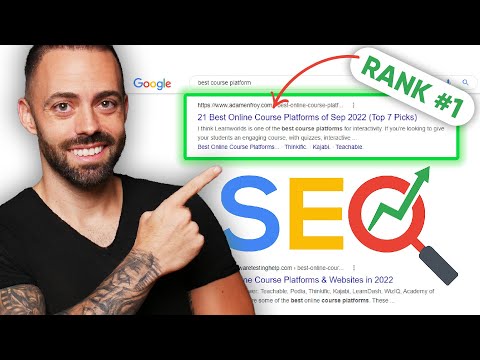
Complete SEO Course For Beginners: Rank #1 on Google in 2022

👉 Watch my free masterclass ➜ https://www.adamenfroy.com/recommends/masterclass

This video is a complete SEO course for beginners.

Whether you’re a beginner when it comes to SEO or an experienced SEO guru, this course will help you understand exactly what it takes to rank content and make money.

The course is broken down into 7 parts, including the psychology of search, on-page SEO (including new discoveries with AI,) search intent, off-page SEO, other Ranking factors to consider, future-proofing your site, and if you stick til the end, your exact SEO action plan.

Check out other videos on my channel on affiliate marketing, blogging, SEO, and how to make money online.

Chapters
0:00 The Growth of Google
3:21 The Psychology of Search
10:11 Introduction to Keywords
27:52 On-Page SEO
35:33 Technical On-Page SEO
38:14 Mastering Search Intent
43:41 Off-Page SEO and Link Building
50:42 Other Ranking Factors to Consider
53:37 Future-Proofing Your SEO
56:50 Your SEO Action Plan

💻 500k monthly readers at https://www.adamenfroy.com

🔥SEO Beginners Tutorial 2022 | SEO Full Course | Search Engine Optimization Tutorial | Simplilearn

🔥 Enroll on FREE SEO Course & Get your Completion Certificate: https://www.simplilearn.com/learn-seo-basics-skillup?utm_campaign=Skillup-SEO12Sep22&utm_medium=DescriptionFirstFold&utm_source=youtube

This video on SEO tutorial for beginners will take you through several important topics to help you make the most out of your Search Engine Optimization(SEO) campaigns. In this SEO Tutorial, we will focus on keyword research, Google analytics, Google tag manager, how you can rank number one on Google and YouTube, how to increase YouTube subscribers, how to get traffic to your website, some popular SEO tools, and finally some SEO tips and tricks. Now, let us get started and learn SEO from scratch.

Each of these topics is also explained with practical examples.
SEO Tutorial For Beginners Intro
1. What is SEO? (Search Engine Optimization)
2. Why SEO?
3. Keyword Research
4. Copywriting
5. Employment and Industry Trends
6. Analytics
7. Why Keyword Research
8. Types of Keyword Research
9. How to do Keyword Research
10. LSI Keyword
11. Google Analytics
12. Google Analytics Report
13. Google Tag Manager
14. What is Google Tag Manager
15. Benefits of Google Tag Manager
16. How Google Tag Manager Works
17. How to Get started with Google Tag Manager
18. How to Rank #1 on Google
19. Keyword Research
20. High-Quality Content
21. How to Rank YouTube Videos
22. YouTube Keyword Research
23. Importance of user Engagement
24. Promote your content
25. Optimize your youtube videos
26. Create High-Quality Video
27. Engage with your Audience
28. How to get Traffic to your Website
29. Why is traffic Important
30. Paid Advertising

Subscribe to our channel for more Digital Marketing Tutorials: https://www.youtube.com/user/Simplilearn?sub_confirmation=1

Download Digital Marketing. career guide – https://bit.ly/3auXRoq

Watch more videos on Digital Marketing: https://www.youtube.com/watch?v=ZVuHLPl69mM&list=PLEiEAq2VkUULa5aOQmO_al2VVmhC-eqeI

#SEO #SEOTutorialForBeginners #SEOFullCourse #DigitalMarketing #DigitalMarketingCourse #DigitalMarketingCourse #SimplilearnDMCA #SimplilearnDigitalMarketing #Simplilearn #2022 #2023

About Simplilearn Digital Marketing course:
This video by Simplilearn on SEO tutorial is curated in collaboration with real-time industry experts ensuring to cover the major technical fundamentals on SEO to help learn to be industry ready with the right skills in demand according to the current IT standards. This SEO tutorial – Certified Associate (DMCA) course is designed to help you master the essential disciplines in digital marketing, including search engine optimization (SEO), social media, pay-per-click (PPC), conversion optimization, and web analytics, content marketing, email, and mobile marketing. Digital marketing is one of the world’s fastest-growing disciplines, and this certification will raise your value in the marketplace and prepare you for a career in digital marketing.

Why learn Digital Marketing?
Businesses and recruiters prefer marketing professionals with genuine knowledge, skills, and experience verified by a certification that is accepted across industries. Continuous learning for any working professional is important for keeping themselves up to date with the current market trends. It also helps them expand their array of skill sets and become more flexible in the workplace.

What skills will you learn from this Digital Marketing course?
This course will enable you to:
1. Gain an in-depth understanding of the various digital marketing disciplines: search engine optimization (SEO), social media marketing, pay-per-click (PPC), website conversion rate optimization, web analytics, content marketing, mobile marketing, email marketing, programmatic buying, marketing automation, and digital marketing strategy
2. Master digital marketing execution tools: Google Analytics, Google Ads, Facebook Marketing, Twitter Advertising, and YouTube Marketing
3. Become a virtual digital marketing manager for an e-commerce company with Mimic Pro simulations included in our course. Practice SEO, SEM, Website Conversion Rate Optimization, email marketing and more.
4. Gain real-life experience by completing projects using Google Analytics, Google Ads, Facebook Marketing, and YouTube Marketing

Learn more at: https://www.simplilearn.com/digital-marketing/digital-marketing-certified-associate-training?utm_campaign=SEO12Sep22&utm_medium=Tutorials&utm_source=youtube

For more information about Simplilearn’s courses, visit:
– Facebook: https://www.facebook.com/Simplilearn
– Twitter: https://twitter.com/simplilearn
– LinkedIn: https://www.linkedin.com/company/simplilearn/
– Website: https://www.simplilearn.com
– Instagram: https://www.instagram.com/simplilearn_elearning
– Telegram Mobile: https://t.me/simplilearnupdates
– Telegram Desktop: https://web.telegram.org/#/im?p=@simplilearnupdates

Get the Simplilearn app: https://simpli.app.link/OlbFAhqMqgb.

5 Underrated SEO Lessons

Five underrated SEO lessons. I’ve been doing SEO for a very long time. I started when I was 15, I’m 37, that’s 22 years to be exact. And I know there are a lot of stats and data out there about SEO and what works and what doesn’t, but in today’s video, I’m not going to bore you with all that. Instead, I want to share my personal experiences, and I want to tell you what I’ve learned over the years and what you can take from it to do better. Most of these lessons aren’t common and you probably haven’t heard of them before.

RESOURCES & LINKS:
____________________________________________
Ubersuggest: https://neilpatel.com/ubersuggest/
____________________________________________

Lesson number one, updating content frequently is better than building more links. I know you need links to rank. So if you have no links, go out there and build some.

We found that if you build less links but you update your content more frequently, you do way better when it comes to a SEO perspective. And when I mean updating, I’m not talking about word or two or image or here and there, I’m talking about adjusting that page to be the best for your users and whatever that takes, better than your competition in other words. So spend more time updating the building links especially if you’re a established website. If you’re a new website, there won’t be much content on your website, you probably don’t have many links, focus on building more links.

Lesson number two, shortcuts just aren’t worth it. See, the sites that rank at the top in the long run are the ones that provide the most value, not the ones that cheat their way up to the top. Now I’ve learned a lot from this mistake and others but I had a shortcut mentality when I was young, and if I had to go back in time, I would stop taking shortcuts and I would’ve done what’s best for users, which would’ve been what’s best for my career.

Lesson three, it’s easier for brands to rank. One of the things that’s taught me is brand queries go a long way in Google’s eyes and in their algo. The more people searching for your brand, and assuming a high percentage of them click on your result, it tells Google that you have a good, strong brand. And, if your brand is more popular than your competition, it tells Google that people prefer you over the competition. And as your brand queries keep going up, what you’ll find is, your rankings also go up.

Once I learned that, I focused more on building a brand. It takes well over five years to build a brand, so you need to be patient, but it helps a lot with SEO.

Lesson four, the quickest way to grow your SEO traffic is by going global. A Google employee once told me that the majority of searches on Google aren’t in English. That’s obvious, right? And it was to me at the time, I’m like, “Yeah, the majority of the world doesn’t speak English, what’s new with this.” But what she told me next wasn’t as obvious. She’s like, “Yes, Neil, they don’t speak English, the majority of searches aren’t in English, but Google doesn’t have enough webpages and all these other languages for most topics.” Once that clicked, I was like, “Oh wait, I need to transcribe my content into multiple languages.” So I started doing that and I didn’t say translating, I said transcribe.

The reason why is you have to adapt it for the local languages. Now, the United States only makes up 25% or less of my traffic due to international expansion. You should go global if you want more SEO traffic.

Lesson five, don’t purely rely on SEO. I used to believe that SEO was the best marketing channel. And because of that, I focused purely on SEO at the beginning. Funny enough, I still prefer SEO over other channels but I don’t think it is the best marketing channel, I don’t think any marketing channel is the best.

I now take a different viewpoint. All marketing channels are great as long as you can make them work for you and drive you traffic, brand awareness, leads, and even sales. So I don’t not focus on SEO, but I also don’t purely focus on SEO. I focus on all marketing channels as well as new ones that come up as long as I can make them work. And if any of them get crushed by platforms making an algorithm update, I don’t have to worry because my traffic sources are diversified.

► If you need help growing your business check out my ad agency Neil Patel Digital @ https://neilpateldigital.com/

►Subscribe: https://goo.gl/ScRTwc to learn more secret SEO tips.
►Find me on Facebook: https://www.facebook.com/neilkpatel/
►On Instagram: https://instagram.com/neilpatel/

#SEO #NeilPatel #DigitalMarketing

7 Best WordPress SEO Plugins and Tools That You Should Use

We’re often asked what the best SEO tools and plugins are that we would recommend for WordPress. This is because search engines are a major source of traffic for most websites on the internet and optimizing your content for your visitors as well as search engines can greatly grow your business. In this video, we will share the best WordPress SEO plugins and tools that you should use.

►partner affiliate link https://wpforms.com/
►written tutorial https://www.wpbeginner.com/showcase/9-best-wordpress-seo-plugins-and-tools-that-you-should-use/

–Top Resources–

Use Promo Code WPBVIP
►Best WordPress Contact Form Plugin https://wpforms.com/wpbeginner
►Best WordPress Analytics Plugin https://www.monsterinsights.com/
►Best Lead Generation Plugin https://optinmonster.com/
►Best WordPress SEO Plugin https://aioseo.com/
►Best Landing Page Builder for WordPress https://www.seedprod.com/
►Best WordPress Giveaway Plugin https://rafflepress.com/

–Related Videos–

►WordPress Tutorial – How to Make a WordPress Website for Beginners https://www.youtube.com/watch?v=DvbFBxKcORA
►WordPress Gutenberg Tutorial: How to Easily Work With the Block Editor https://www.youtube.com/watch?v=JjfrzGeB5_g
►What is SEO and How Does it Work? https://www.youtube.com/watch?v=JjfrzGeB5_g
►How to Install a WordPress Theme https://www.youtube.com/watch?v=ZIPQRQLAz90

For this guide, our first recommendation is All in One SEO for WordPress(AIOSEO) as the best WordPress SEO plugin available to help you get started. It has a setup wizard that automatically helps you choose the best SEO settings for your specific business needs.

There is an on-page SEO checklist to include a smart meta tag generator where you can use dynamic values in your descriptions as well as add rich snippet schema markup. All of these and more powerful tools are included to help make things that much easier for you.

SEMRush is another powerful tool to use to help find organic keywords and terms to see what your competitors are ranking for and how you can improve your website content. Their keyword planner will help you focus your keywords for what you are wanting and rank your content.

Google Search Console will help you actively track and maintain links on your site and let you know of any crawl errors. It also tracks helpful information such as total clicks, impressions, average CTR, and average position.

Yoast is another SEO plugin that you can use to allow you to optimize your WordPress websites for search engines. This includes generating an XML sitemap for your site content which makes it easier for search engines to crawl your site.

Google’s keyword planner helps you generate your own keyword ideas from Google itself that are normally for advertising but can help you find what people are organically searching for. Nobody knows what people are searching for more than Google so using their tool is a powerful thing to have.

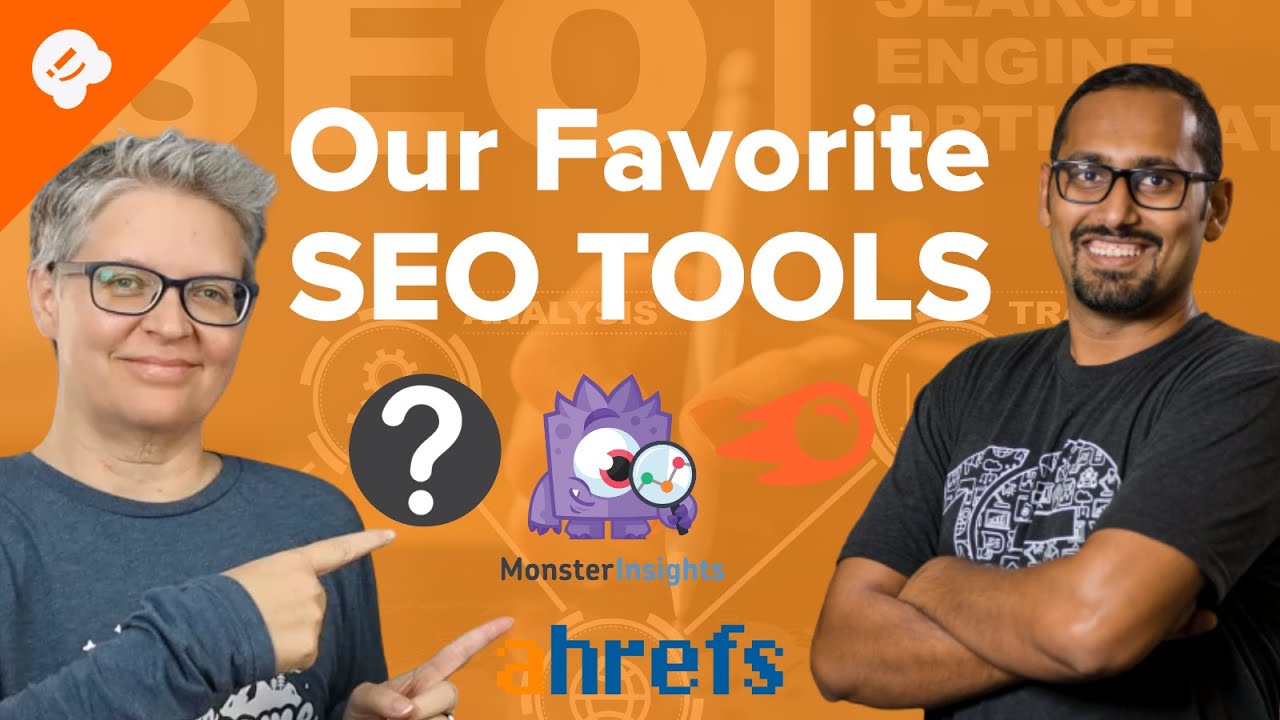
Ahrefs is an all-in-one SEO tool for businesses and marketers that offers similar tools and features to SEMRush. While there is some overlap, Ahrefs has a great backlink analyzer for finding which sites are linking to multiple competitors for finding more partnerships to build in the future.

Lastly, in this video, we will recommend taking a look at MonsterInsights. MonsterInsights is the best Google Analytics plugin for WordPress that allows you to easily install Google analytics in WordPress that shows human-readable reposts inside your WordPress dashboard.

If you liked this video, then please Like and consider subscribing to our channel here for more WordPress videos.
https://www.youtube.com/subscription_center?add_user=wpbeginner

Feel free to take a look at the written version of this tutorial here:
https://www.wpbeginner.com/showcase/9-best-wordpress-seo-plugins-and-tools-that-you-should-use/

Join our group on Facebook
https://www.facebook.com/groups/wpbeginner

Follow us on Twitter

Check out our website for more WordPress Tutorials
http://www.wpbeginner.com

Timestamp:

00:00 Intro
00:54 All in One SEO for WordPress
02:46 SEMrush
03:35 Google Search Console
04:51 Yoast SEO
05:22 Google Keyword Planner
06:09 Ahrefs
07:23 MonsterInsights

Hashtags:
#WordPressSEO #WPBeginner #WordPress

How SEO Company Works – SEO Step By Step Tutorial | Advance Level SEO

Learn advance level SEO step by step tutorial SEO Company मे काम कैसे होता है?
Rank Your Website On Google First Page | #SEO (Search Engine Optimization) | My Method
#tutorial #AdvanceSEO #google

Part1 – https://youtu.be/tsruI6RTz70
Part2 – https://youtu.be/ul0tm_lxgHQ
Part3 – https://youtu.be/_3oXGVR3-Ac

Please Subscribe My Channel
https://www.youtube.com/c/HashtagWindow

For collaboration, dm or email
hashtagwindow9@gmail.com

Social Media:
Facebook: https://www.facebook.com/theHashtagwindow/
Instagram: https://www.instagram.com/hashtag.window/
Youtube: https://www.youtube.com/c/HashtagWindow