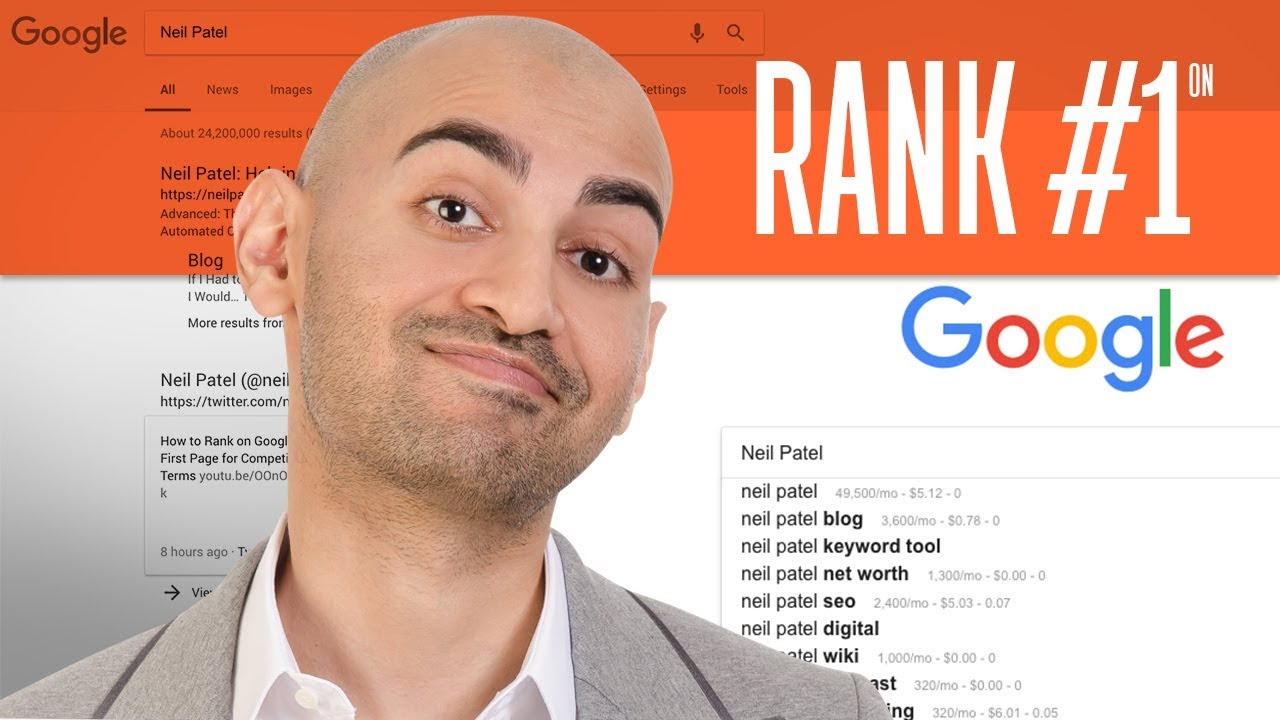
Rank #1 on Google Using 7 Free SEO Tools | Neil Patel

In today’s tutorial I’m going to share with you 7 free tools that will help you rank #1 on Google. Learn these SEO optimization techniques and skyrocket your rankings on Google! If you’re new to the world of SEO (search engine optimization), these seven free tools will go a long way in helping you formulate a strategy for reaching your goals.

Google Neil Patel
____________________________________________

RESOURCES & LINKS:

Google Search Console: https://search.google.com/search-console/about

Ubersuggest: https://neilpatel.com/ubersuggest/

Yoast SEO Plugin: https://yoast.com/wordpress/plugins/seo/

Websiteresponsivetest.com: http://www.websiteresponsivetest.com/

Google Trends: https://trends.google.com/trends

Google PageSpeed insights: https://developers.google.com/speed/pagespeed/insights/

Keywords Everywhere: https://keywordseverywhere.com/

Read more SEO tips on my blog: https://neilpatel.com/blog
____________________________________________

Tool #1. Google Search Console

Google Search Console will show you all the keywords that you’re ranking for that are driving the majority of your traffic.

By creating your own headline or title tag that’s more appealing, as well as including the keyword, you’re more likely to get clicks.

Tool #2. Ubersuggest

Google Search Console has already showed you what keywords you’re getting traffic for. If you plug these keywords into Ubersuggest, it will show you all the long tail variations of those keywords. If you already rank for the headterms, it’s really easy to rank for the long tail terms.

Tool #3. Yoast SEO Plugin

This plugin will make your life so much easier if you run your website on WordPress.

Yoast SEO Plugin will help you optimize your code, title tags, meta description and create a XML sitemap.

Tool #4. Websiteresponsivetest.com

Your site needs to be mobile compatible and putting your website into this tool will tell you, if your website is responsive and mobile friendly.

Tool #5. Google Trends

By creating a brand, you’re going to do better on Google.

And Google Trends shows you how your brand is doing compared to other people. You want the bigger brand and Google Trends will show this.

Tool #6. Google PageSpeed insights

More people use Google on their mobile devices than on their desktop computers. That’s why speed is so important. Google has an index just for mobile sites. So, you want to ensure that your website loads as fast as possible.

Tool #7. Keywords Everywhere

Keywords Everywhere plugin will show you how many people are searching for your terms and related keywords as you’re using Google. It’ll give you more keyword ideas, because you can see the search volume and how good some of these keywords are.

►Subscribe: https://goo.gl/ScRTwc to learn more secret SEO tips.
Find me on Facebook: https://www.facebook.com/neilkpatel/
Read more on my blog: https://neilpatel.com/blog

#NeilPatel #seo #seotips

Daily Crunch: Facebook will pay $52M to content moderators

Daily Crunch: Facebook will pay $52M to content moderators

Facebook strikes a deal to compensate content moderators with PTSD, Tesla might reopen its factory next week and Twitter says some employees can work from home indefinitely. Here’s your Daily Crunch for May 13, 2020. 1. Facebook to pay $52M to content moderat…

Read More…

Content Marketing Part 1 – SEO Unlocked – Free SEO Course with Neil Patel

Today I’m going to be covering content marketing, part one. So we’re going to get into the fundamentals, and then the next lesson is going to go over step-by-step tactics that you need to implement to get results through content marketing.

RESOURCES & LINKS:
____________________________________________
Download the assets mentioned in this video: https://neilpatel.com/training/

SEO Unlocked Course Playlist: https://www.youtube.com/watch?v=Q_lySNxCag0&list=PLJR61fXkAx11Oi6EpqJ9Es4rVOIZhwlSG

Ubersuggest: https://neilpatel.com/ubersuggest/

QuickSprout: https://www.quicksprout.com/
Crazy Egg: https://www.crazyegg.com/
____________________________________________

Before we get started, I want to let you know, don’t look back and ask, “Why,” look ahead and ask, “Why not?” Because, as we cover content marketing, what you’ll find is, a lot of companies are asking, “Hey, why should I end up doing it?” Well, you should end up doing it because it produces results, and I have some stats to show you later on.

But before we get started, let’s look at the evolution of Google. What most people don’t know is Google does more than one algorithm update per day, and as they’ve gone around over the years, they’ve gotten smarter and smarter, where now, a lot of it is related to artificial intelligence, and they’re really able to predict what humans want.

So why is content marketing important? I’ll go over a few of the main bullet points.

Conversion rates are six times higher for adopters against non-adopters, it results into increased brand awareness, 91% of B2B marketers use content marketing, so it’s not just for B2C, it’s also for B2B as well. 27% of U.S. internet users now have ad-blocking installed, so you’re not going to get to as many people as you used to through ads, so content marketing is another way to attract more people. And if you adapt, you can win, it’s a great way to compete against the bigger corporations.

And that’s why I really got into it, is because when you have little to no budget, and you want to compete with the big guys, ads are expensive, but content marketing is a good solution for you. If you do this, it’ll also help you build trust and authority with your ideal audience, which generates quite a bit of sales.

When you’re doing content marketing, if you don’t understand you’re customer’s problems, you won’t do well. It’s all about finding the balance between the keywords that you want to target with your site, and the content.

When it comes to e-commerce, you need to know the journey, especially with content marketing, from discovering the potential problem to understanding it to then figuring out solutions, to the type of product that you want to test the solution against, comparing your brand with other brands for the same type of product.

You also want to search for discount codes, see if people are using content for that. You want to look for your product specifically, see if there’s good content around that, and then of course, creative applications for your product. And this one applies to innovative products specifically, right? And we’ll go over examples of that in the upcoming lessons.

And creativity is a huge component in doing well with content marketing. And with this formula, we found that even if you’re not that creative, you don’t have to worry, just following this formula will get you results.

So the first step in Franklins’ Law of Content Success is String Ideas. Well, you can grab your keyword ideas from the earlier modules that we covered in SEO Unlocked.

Now that you have some keywords, you want to first figure out who you are, because not every company is the same.

This is super-important, especially at the beginning, you don’t want to go off-brand, because yes, it may drive traffic, but if it’s off-brand, it probably won’t drive any sales, and this is both for B2B and B2C.

If you have little to no traffic, and you have a brand-new site where you’ve done little to no SEO, put in a competitor’s domain here, because when you add a competitor’s domain name, you’ll be able to see what’s working for them, and it’s a great place to start. This will take you to a page that shows you all the keywords that you’re getting traffic for, or your competition’s getting traffic for, and it’ll give you an idea, on the right side of the report, of who else is ranking, and it’ll give you the essence of, all right, how much traffic can I get if I ranked higher, is this keyword representative of my brand, will it work well?

► If you need help growing your business check out my ad agency Neil Patel Digital @ https://neilpateldigital.com/

►Subscribe: https://goo.gl/ScRTwc to learn more secret SEO tips.
►Find me on Facebook: https://www.facebook.com/neilkpatel/
►On Instagram: https://instagram.com/neilpatel/

#SEO #NeilPatel #ContentMarketing

30 Lessons After 30 Million SEO Visitors

30 Lessons After 30 Million SEO Visitors

As you can see from the screenshot above, I’ve driven 30 million visitors to my website from SEO. Technically it’s more, but who’s counting. What’s funny, though, is I barely look at my traffic, even as Google continually rolls out algorithm updates. I know t…

Read More…

YOUTUBE SEO BASICS: How To Get Your YouTube Videos To Appear In A YouTube Search | THECONTENTBUG

Let’s talk about some YouTube SEO basics. Yep. Just like Google and Pinterest, YouTube is a search engine. And there are some things that you can do to help improve your YouTube SEO to have your YouTube videos appear in a YouTube search! Ever wonder how you get more views on your videos and more YouTube subscribers? The secret: SEO! Today I’m talking about how to perform keyword research on YouTube, sharing my YouTube tag strategy, how I use TubeBuddy, and more!

Get TubeBuddy FOR FREE! – https://www.tubebuddy.com/thecontentbug

WEBSITE: http://thecontentbug.com/
INSTAGRAM: https://www.instagram.com/thecontentbug/
PINTEREST: http://pinterest.com/thecontentbug
TWITTER: http://twitter.com/thecontentbug

And make sure you subscribe to my channel!

MORE INFORMATION:
TCB Courses – https://tcbcourses.com/
The Blog Hustler (ebook) – http://bit.ly/TBH-book
The Big Plans Planner (my productivity guide & planner) – http://bit.ly/big-plans

JOIN THE TCB VAULT TODAY! – http://bit.ly/TCB-vault

Join my VIP team: http://thecontentbug.com/vip-team/

DISCLAIMER: Links included in this description might be affiliate links. If you purchase a product or service with the links that I provide I may receive a small commission. There is no additional charge to you! Thank you for supporting TheContentBug.com so I can continue to provide you with free content each week!

Mastering Technical SEO Audits – On-page SEO Part 3 – SEO Unlocked – Free SEO Course with Neil Patel

Today I’m going to teach you how to do an SEO site audit. With this lesson, there’s going to be a lot of factors and a lot of things that we’re going to be breaking down. In addition to that, we’re going to show you how you can do this through Ubersuggest, which is an SEO tool. So that way, you don’t have to do this all manually.

RESOURCES & LINKS:
____________________________________________
Download the assets mentioned in this video: https://neilpatel.com/training/

SEO Unlocked Course Playlist: https://www.youtube.com/watch?v=Q_lySNxCag0&list=PLJR61fXkAx11Oi6EpqJ9Es4rVOIZhwlSG

Ubersuggest: https://neilpatel.com/ubersuggest/

Google’s Search Console: https://search.google.com/search-console/
____________________________________________

You want to first find the areas that you need to fix on your website, so first off, go to Google and type in site, colon, and put in your domain .com. Once you hit search, what you’ll see is a list on Google. You’ll either see one result, which is not good, you want to see more than one. You’ll see zero results, which is not good either and if you have that, don’t worry, we’ll teach you how to fix this.

So once you know that you can be seen, you want to make sure there’s only one version of your website.

Then I want you to go to Ubersuggest, type in your domain name. It’ll take you to an overview report under the traffic analyser.

If you’re seeing more traffic over time, that’s great. If you have a new website or a website that’s barely old and you haven’t done much SEO, you’re probably going to see no results. And that’s okay as well because as you implement some of these changes that I’m going to teach you, your numbers are going to go up, you’re going to rank for more keywords which is what the bottom graph shows you, and you’re going to get more traffic from Google, which is what the top graph shows you.

And this report’s also cool because you can put in some of your competitors and it allows you to compare how you’re doing to your competition over time.

Now it’s time to go and analyze your website to see what’s wrong, what you need to fix and how you can get more traffic.

So with the SEO site audit report, it shows you an overview. Your critical errors, your warnings, your recommendations.

You have to fix your whole site.

Then you also want to look at the warnings tab and then the recommendations tab as well.

If it shows that you have thin content, that’s not good. You want to fix that. Not every page is going to be perfect and have a lot of text, but fix the ones that make sense.

Because when people search on Google for images, and the image search is very popular, especially niches like travel, if you don’t have alt tags, it’s harder for Google to decipher what that images is about.

You also want to look at internal links. Throughout Ubersuggest, once you put in your URL, assuming you’re getting more and more traffic, eventually you’ll see your top pages report load up with a ton of examples.

Backlinks, really important factor because the more sites linking to you, the better you’re going to do as well. But not all links are equal, some are bad, some are good. This report shows you all the people linking to you and the anchor text of the link.

Going back to the site audit report, you want to make sure you don’t have broken pages or broken links. It’ll point that out as well and you can fix those.

The next thing to check out is site maps. So within Google’s Search Console, you want to upload a sitemap. They report on it. You can just put in any URL, like your website .com slash robots.txt and you can see what’s being blocked or what’s not.

Remember how I showed you that top pages report? If you have a new website, you won’t see much there, but if you have an existing website and a ton of traffic, you want to make sure you’re linking to those top pages when it makes sense because it’ll even help them get more traffic, more social shares, more backlinks over time.

And of course, last but not least, I want you to check for penalties. So go to Google Search Console, look at manual actions and just make sure there’s no issues detected. Because if there are, you want to fix them.

► If you need help growing your business check out my ad agency Neil Patel Digital @ https://neilpateldigital.com/

►Subscribe: https://goo.gl/ScRTwc to learn more secret SEO tips.
►Find me on Facebook: https://www.facebook.com/neilkpatel/
►On Instagram: https://instagram.com/neilpatel/

#SEO #NeilPatel #DigitalMarketing

【2019年】GoogleのSEOアップデートを優しく解説する【重要です】

チャンネル登録はこちら😌
https://www.youtube.com/c/manabuch?sub_confirmation=1

🔽Googleアップデートについて知っておくべきこと
https://webmaster-ja.googleblog.com/2019/10/core-updates.html

🔽E-A-T and SEO for Google: Everything you need to know

E-A-T and SEO

🔽Google’s Core Algorithm Updates and The Power of User Studies

Google’s Core Algorithm Updates and The Power of User Studies: How Real Feedback From Real People Can Help Site Owners Surface Website Quality Problems (And More)

🔽Twitterでも発信しています

🔽運営ブログ(マナブログ)
https://manablog.org/
🔽撮影機材
・映像:iPhoneXS Max(https://apple.co/2wiHMjT)
・音声:SHUREマイク(https://amzn.to/2FRYPhI)
・自撮り棒:https://amzn.to/32aEBJC

———————————————————————–
SNS
———————————————————————–

【BLOG】
https://manablog.org/

【Twitter】

【自己紹介】

坂内 学(ばんない まなぶ)のプロフィール

———————————————————————–
販売している商品
———————————————————————–

■ブログ型アフィリエイトの完全講義

ブログ型アフィリエイトの完全講義【ブログ歴6年の僕の集大成です】

■ Manablog Copy|SEOと読みやすさを追求したテーマ

【お知らせ】マナブログのWordPressテーマのコピーを販売します

■プログラミング独立の完全ロードマップ
・無料版:https://manablog.org/code-life-start/
・有料版:https://manablog.org/code-life-open/

———————————————————————–
使用機材
———————————————————————–

■ 映像
iPhoneXS Max(https://apple.co/2wiHMjT)

■ 音声
SHUREマイク(https://amzn.to/2FRYPhI)

■ 自撮り棒
https://amzn.to/32aEBJC

Deciding Between SEO vs PPC: Which Is Better For Your Business Marketing?

When it comes to marketing online, you can boil a lot of activity down to two areas – paid and organic. Otherwise known as those three-letter acronyms, SEO 🔍 and PPC 💰.

Now I’m sure we all like the idea of marketing “for free” in an organic way, but what’s actually the best digital path for you to take? What’s going to help you achieve your digital goals? It’s an internal battle of SEO vs. PPC 🥊

In this week’s Giant Wednesday, we look at the different between search engine optimisation and pay per click advertising. Explaining the benefits of both and how they’ll help you achieve the best outcomes for your business marketing objectives. You can then decide where to focus your efforts 🖥

Digital Marketing, Technology & Business insights, how to’s and explainer videos, released on a Wednesday. Make sure to subscribe to be notified! 🎥

Read the transcript, check out the GIANT Cheat Sheet and learn more on our website: https://bit.ly/2UJSnRY

Presenter: Sam Caesar, Sleeping Giant Media

#GiantWednesday #PPC #SEO